Oscilloscope radar waves
Field guide · passive contactless sensing

You got a Seed.
Now give it senses.

A plain-language primer for anyone who just received a Cognitum One Seed and has no idea what all these chips, radars and antennas actually do. We cover the sensors you can buy today and hook up — three that sense a room contactlessly, plus one you attach for motion.

Start the tour ↓ Setup & flashing →
READ TIME · ~18 min LEVEL · Absolute beginner COVERS · 4 sensors · setup guide
01 — ORIENTATION

What is a Cognitum One Seed?

Before sensors, understand the thing you just unboxed. The Seed is not a sensor itself — it's a brain.

The Cognitum One Seed is a tiny, self-contained AI computer — it runs on-device intelligence with no cloud required. It senses the space around it, remembers what it learns as mathematical "fingerprints," and can recognise patterns passively — just by watching, never by asking you to scan or wear anything.

Out of the box it has a few simple built-in senses. But the moment you want to sense finer things — exactly where a body is, a heartbeat through the air, the shape of a person with no camera — you connect the sensors in this guide. Some wire straight into the Seed's pins; the richer ones connect to the same Seed over USB or WiFi (that's the next section).

▸ Learn more about the Cognitum One Seed at cognitum.one

🧠 The Seed = the brain

Runs everything locally. Turns raw sensor numbers into memory.

  • On-device vector memory (remembers patterns as "fingerprints")
  • Passive recognition — learns what's present without enrollment
  • Local search & reasoning, no internet needed
  • A tamper-evident "witness chain" so its memory can be trusted

SENSES FEED BRAIN

📡 The sensors = the senses

Each one perceives a different slice of physical reality — all contactless.

  • Radar (LD2450) — where a body is, how it moves (no camera, works in the dark)
  • mmWave vitals (MR60) — heart rate & breathing, through clothing, across a room
  • WiFi CSI (ESP32) — a body's rough shape & presence, even through walls
Radar · position mmWave · vitals WiFi CSI · shape SEED the brain Passive memory recognise · remember
The mental model: the Seed is the brain, the sensors are the senses. Everything in this guide plugs into the left side.
02 — HOW IT SENSES

How sensors actually reach the Seed

The part most guides skip. There are two ways a sensor's data gets to your Seed, and picking the right one saves you days.

PATH A · WIRE INTO THE SEED PATH B · CONNECT OVER USB / WiFi PIR · vibration · reed → GPIO analog → ADS1115 (I²C) Radar · mmWaveWiFi CSI nodes via USB / WiFi(not GPIO pins) WiFi / HTTP SEED the brain
Two paths in. Simple sensors wire into the Seed's pins; rich radar & WiFi-CSI connect to the same Seed over USB or WiFi.

Path A — wire it straight into the Seed

The Seed reads simple sensors bolted to its own pins, 10 times a second, into its memory "fingerprint." Works on the Seed today, no extra computer.

  • Digital pins (GPIO): motion (PIR), vibration, a door/reed switch
  • Analog sensors via an ADS1115 ADC on the I²C bus (a ~$5 chip)
  • Declared in the Seed's sensor-config.json, sampled at 10 Hz

Path B — connect it to the Seed over USB / WiFi

The three sensors in this guide — radar, vital-signs radar, WiFi CSI — produce far more data than the Seed's GPIO pins can take. Instead they connect to your Cognitum One Seed over USB or WiFi, and it does the heavier sensing.

  • The LD2450 radar plugs into the Seed over USB
  • The MR60 & ESP32 CSI nodes stream to the Seed over WiFi
  • The Seed fuses everything into its memory

⚠ The honest truth about WiFi CSI & the Seed

A Seed's own built-in WiFi chip cannot produce CSI — that's why WiFi-sensing needs separate ESP32-S3 / C5 nodes (which can) that stream their CSI to the Seed over WiFi. Plan for 7 nodes — not two; one or two can't locate anything (here's how to build the array). The full step-by-step is on the Setup & flashing page →

Your mileage may vary: the exact pins, ports and config names here come from one reference build. Always confirm against your own device's config and firmware.

03 — YOUR FIRST 15 MINUTES

From box to first signal

The short version of your first win. The full, careful walkthrough — cables, flashing on your Mac/PC, WiFi, talking to the Seed — lives on the Setup & flashing page.

Easiest first win · the LD2450 USB kit

  1. Buy the LD2450 USB kit (radar + cable + USB adapter — no soldering).
  2. Plug the USB adapter into your Seed (or Mac to test). No flashing needed.
  3. It streams position data over a serial port right away.
  4. Win: walk around — the radar reports your X/Y position moving.

The WiFi sensors · a bit more setup

  1. ESP32 CSI nodes must be flashed on a Mac/PC first (see Setup page).
  2. Give them your WiFi (2.4 GHz for S3, 5 GHz for C5) + the Seed's address.
  3. Power them near the Seed; they stream over WiFi (UDP :5005).
  4. Win: the host shows packets arriving ~10×/sec; or an MR60 shows heart & breathing after a ~60 s warm-up.

Open the full Setup & flashing walkthrough →

PRESENCE ON someone in range HEART 72 bpm BREATHING 16 rpm WiFi CSI streaming ~10 packets / sec
Example readout — the kind of live panel your Seed shows once data is flowing. (Illustrative.)

Spot it in the box

If it looks like…It's…It does…
A small radar board with a 4-pin cable + a USB adapter dongleLD2450 USB kitPosition tracking
A small black module behind a textured cover, USB-CMR60BHA2 (Seeed XIAO)Heart & breathing
A stamp-sized board with a metal shield + pin headers + USB-CESP32-C5 / S3 CSI nodeWiFi sensing
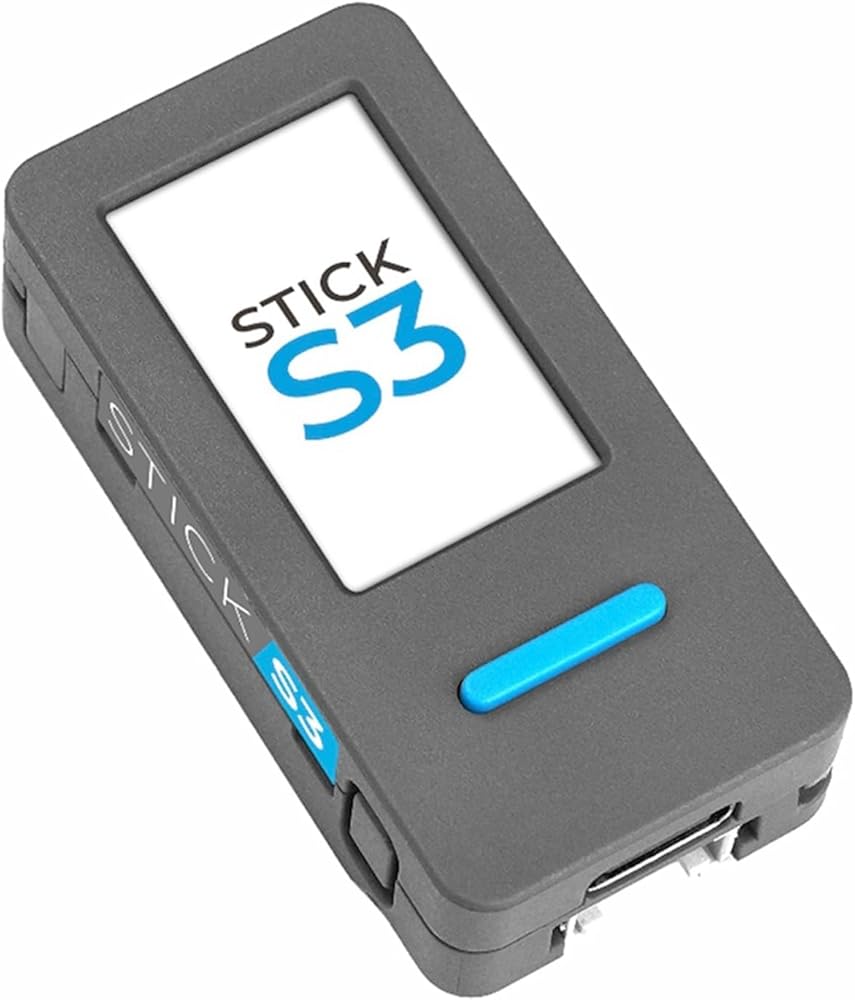
A small grey stick with a screen, a button & USB-CM5StickS3Motion / vibration
04 — THE FOUNDATION

The ESP32 family: the chip behind almost everything

Most affordable sensors are built around an ESP32 — a cheap WiFi/Bluetooth microcontroller from Espressif. Knowing the variants tells you what a sensor can and can't do.

ChipArchitectureCores / ClockSRAMWiFiBluetoothStandout feature~Price
ESP32 originalXtensa LX62 · 240 MHz520 KB802.11n · 2.4 GHzClassic + BLE 4.2The mature, do-everything default$3–10
ESP32-S2Xtensa LX71 · 240 MHz320 KB802.11n · 2.4 GHznoneUSB-OTG; far better deep-sleep~$6
ESP32-S3 used hereXtensa LX72 · 240 MHz512 KB802.11n · 2.4 GHzBLE 5.0AI/vector instructions; 192-subcarrier CSI~$4
ESP32-C2RISC-V1 · 120 MHz272 KB802.11n · 2.4 GHzBLE 5.0Smallest & cheapest, 4×4 mm~$4
ESP32-C3RISC-V1 · 160 MHz400 KB802.11n · 2.4 GHzBLE 5.0Best-in-class low power (~5 µA sleep)~$4
ESP32-C5 used hereRISC-V1 · 240 MHz400 KBDual-band WiFi 6 · 2.4 + 5 GHzBLE 5.2First ESP32 that does 5 GHz WiFi~$18
ESP32-C6 in the MR60RISC-V1 · 160 MHz512 KBWiFi 6 (ax) · 2.4 GHzBLE 5.3802.15.4 Thread/Zigbee/Matter~$4
ESP32-H2RISC-V1 · 96 MHz256 KBnoneBLE 5.0Dedicated Thread/Zigbee mesh radio~$3
ESP32-P4RISC-V ×2 + LP2 · 400 MHz768 KBnonenoneH.264 video, MIPI camera/displayn/a

The one fact that bites everyone first

Notice the 2.4 GHz vs. 5 GHz column. The ESP32-S3 and the original ESP32 are 2.4 GHz only — by silicon. They physically cannot join a 5 GHz-only WiFi network, no matter what you configure. Only the ESP32-C5 speaks 5 GHz. If a board "won't connect" to your fast network, that's almost always why — it's not broken, it's the wrong band.

05 — THE SENSES

The sensors — and what each one gives you

An ESP32 is just the brainstem of a sensor. What matters is the physics module bolted to it. Here are the sensors you can buy and use today — three that sense a room contactlessly, plus the M5StickS3 you attach to an object for motion. Each has the real product photo and a direct buy link.

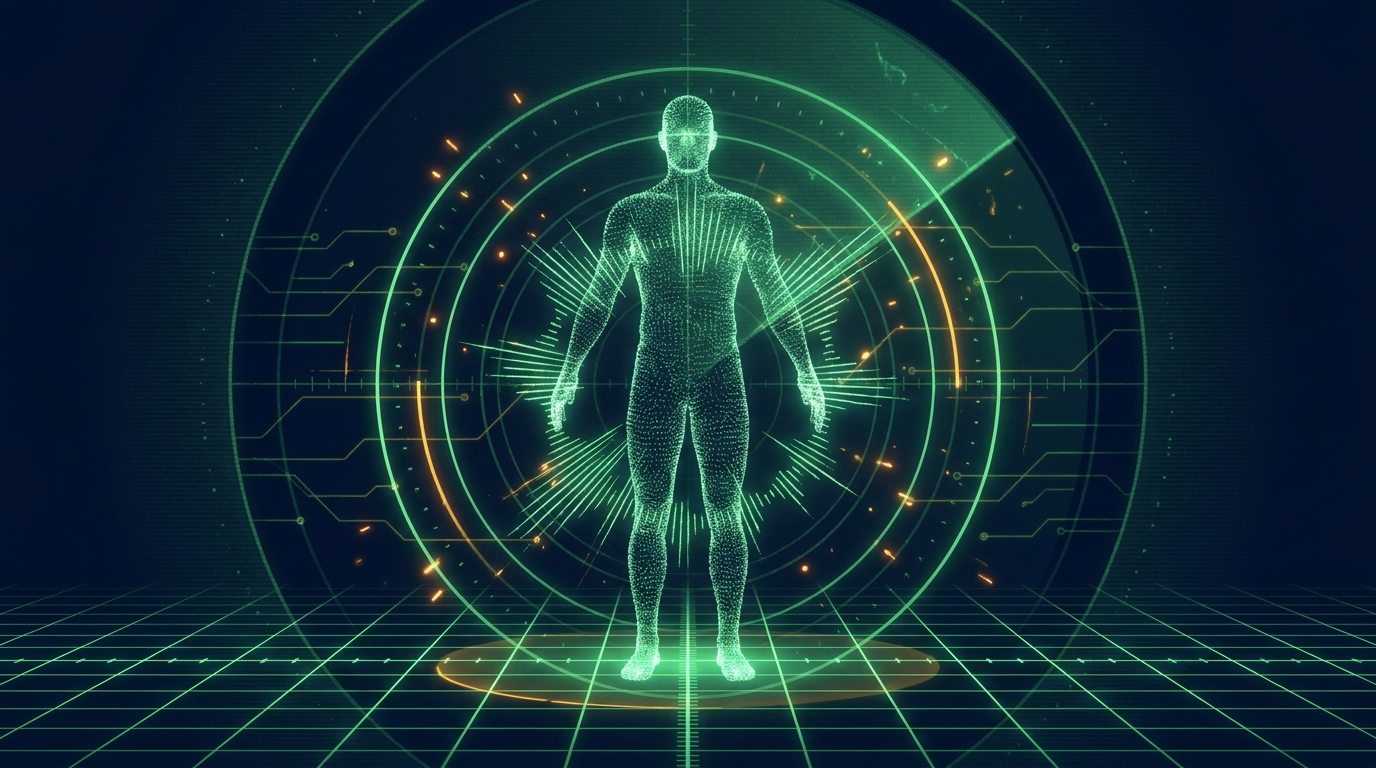
A human body sensed by invisible radio waves, reconstructed as a glowing point cloud
Radar and WiFi can "see" a body with no camera — by reading how radio waves bounce off it.

⚠ Read this first: one sensor is almost never enough

The expectation-setter nobody tells you. A single sensor gives a single, narrow viewpoint — a lone WiFi node can tell "something moved" but not where. Plan for multiples from the start, or you'll be disappointed.

SensorBare minimumRecommendedWhy one won't do
ESP32 WiFi CSI3 nodes7 (3 on 2.4 GHz + 4 on 5 GHz)One node only senses "something changed." Position & shape need several sightlines to triangulate; 7 wraps the room with a spare.
LD2450 radar12–3 per roomOne covers a cone; corners, blind spots and left/right asymmetry need a second and third.
MR60BHA2 vitals11 per seat/spotIt reads one subject facing it — it can't follow someone moving around the room.
M5StickS3 (IMU)11–2One reads an object's motion; two let you compare two points (e.g. how vibration travels from a source to a body).

Minimums are physics: three is the geometric minimum to locate a point in 2D (you need sightlines from three directions to triangulate); seven gives full wrap-around coverage with a spare node. "Recommended" reflects a working whole-room build.

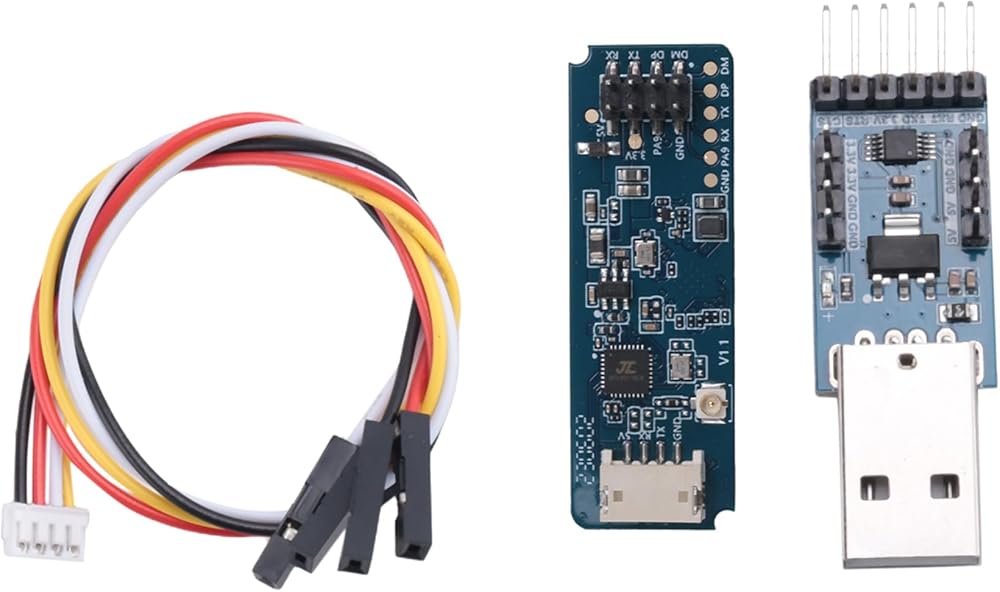
LD2450 24 GHz mmWave radar USB kit — radar board with cable and USB adapter 24 GHz mmWave radar · position

LD2450

HLK-LD2450 · 24 GHz FMCW radar · USB kit

Tells you where a person is on a 2D floor plan — their X/Y position and how fast they're moving — by bouncing 24 GHz radio off them. No camera, works in total darkness, sees through clothing.

NEED
1 works · 2–3 for full room
SENSES
Position (X/Y), distance, speed
SETUP
No flashing — plug the USB kit into the Seed
CONNECTS
USB-serial @ 256000 baud
Gotcha → Buy the USB kit version (radar + cable + USB adapter), not a bare module — otherwise you'll be soldering. It tracks one point per person, and its baud rate is the unusual 256000.
Buy the USB kit on Amazon ↗
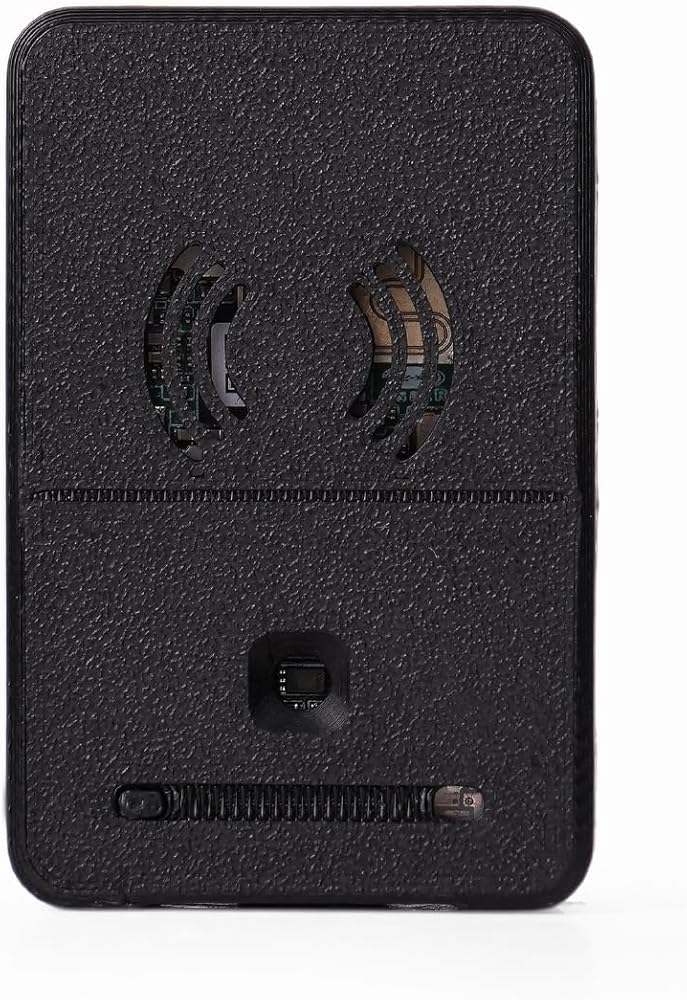
Seeed XIAO MR60BHA2 60 GHz breathing and heartbeat sensor kit 60 GHz mmWave · vital signs

MR60BHA2

Seeed XIAO MR60BHA2 · ADT6101P radar + ESP32-C6

Measures heart rate and breathing rate contactlessly — it senses the millimetre-scale motion of your chest and skin via 60 GHz Doppler. No chest strap, no watch. Sits facing you within ~1.5 m.

NEED
1 per person / spot
SENSES
Heart rate, breathing rate, presence
SETUP
Ships ready; set WiFi via ESPHome
CONNECTS
WiFi → Seed over TCP 6053
Gotcha → The XIAO has two USB-C ports. The case-edge one is power only — to configure it, open the case and use the inner port. It reads null for ~60 s after power-on while it "warms up." That's normal.
Buy on Amazon ↗
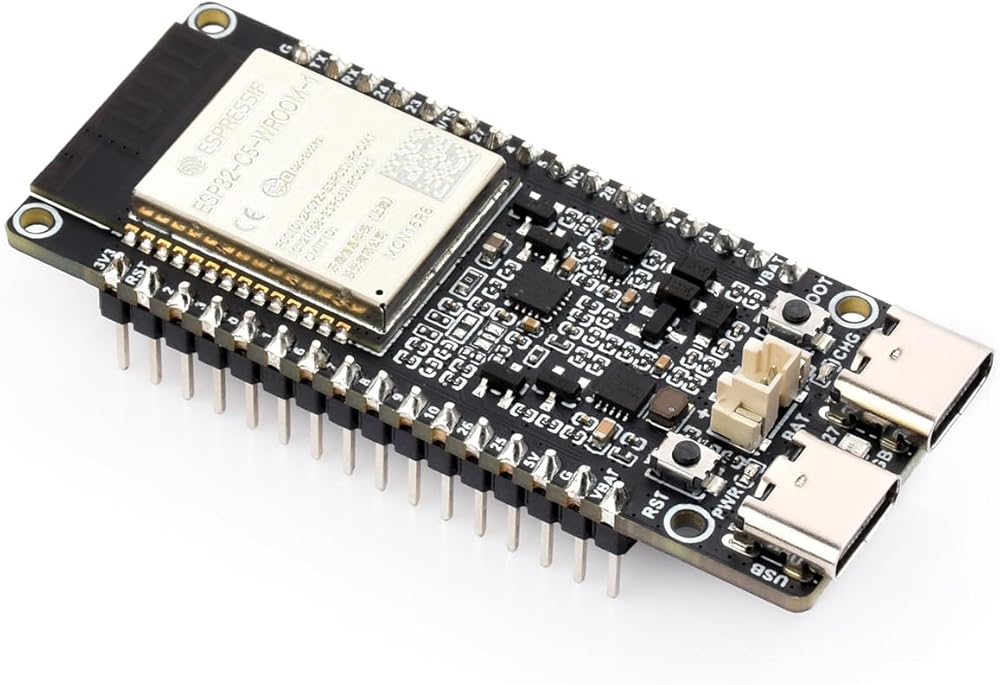
Waveshare ESP32-C5 dual-band WiFi 6 dev board for CSI sensing WiFi CSI · presence & shape

ESP32 CSI nodes

ESP32-C5 (5 GHz) & ESP32-S3 (2.4 GHz)

The cleverest trick here: an ordinary WiFi chip reads how radio waves scatter off your body (Channel State Information). With several nodes you get rough body shape, presence, and breathing — through walls, with no dedicated radar at all.

NEED
3 minimum · 7 ideal
SENSES
Presence, coarse pose, breathing, identity hints
SETUP
Flash on a Mac/PC, then WiFi (see Setup)
CONNECTS
WiFi → Seed over UDP 5005
Gotcha → Use a mesh of nodes; one node alone can't tell left from right. These must be flashed first — see the Setup & flashing page.
Buy ESP32-C5 (buy 7 total) ↗
M5StickS3 ESP32-S3 mini IoT dev kit with screen and built-in IMU IMU · motion & vibration

M5StickS3

M5Stack M5StickS3 · ESP32-S3 + 6-axis IMU

The one sensor here you attach to an object — it measures that object's motion, tilt and vibration with a built-in accelerometer. Battery-powered, streams over WiFi. Not contactless like the other three, but the way to capture how something physically moves.

NEED
1 · (2 to compare two points)
SENSES
Acceleration, tilt, vibration (6-axis)
SETUP
Flash on a Mac/PC (ESP32-S3) or M5 UIFlow
CONNECTS
WiFi (UDP) · USB-C · built-in battery
Note → This is the in-stock successor to the now-discontinued M5StickC PLUS2. It's the only sensor here you mount on the thing you're measuring — the radar, vitals and CSI sensors are all contactless.
Buy on Amazon ↗
06 — DECISION GUIDE

Radar vs. CSI vs. vitals — which do I use?

They overlap, but each is best at one job. Here's the cheat sheet.

TechnologyFrequencyBest atSpatial detailThrough walls?
LD2450 radar24 GHzPrecise 2D position & speed±5 cm XYLimited
MR60BHA260 GHzHeart rate & breathingn/a (vitals)Limited
ESP32 WiFi CSI2.4 / 5 GHzPresence & rough shape, anywhereCoarse (~30 cm)yes
M5StickS3 (IMU)Motion/vibration of an attached objectn/a (on-object)on-object

Reach for the LD2450 RADAR when…

  • you need to know where a body is, precisely
  • you want speed / direction of movement
  • lighting is bad or privacy rules out cameras
  • you need heart rate (radar position can't do that)

Reach for WiFi CSI when…

  • you want coverage through walls / whole-room
  • you can place several nodes for triangulation
  • rough presence & shape is enough
  • you need centimetre-accurate position (too coarse)

Reach for the MR60 VITALS when…

  • you want heart rate & breathing with nothing worn
  • the subject is roughly still, facing the sensor
  • they're moving around the room (use radar instead)

Reach for the M5StickS3 (IMU) when…

  • you can attach a sensor to the moving thing
  • you want fast, raw motion / vibration / tilt
  • it must be contactless (an IMU has to be on the object)

The real power is combining them

  • radar says where, CSI says roughly what shape
  • the vitals radar says how hard the heart works
  • the Seed fuses them — sharper, harder to fool
  • start with one, add more as you grow
07 — BUILD THE ARRAY

How to place your ESP32 sensor array

This is the step that makes or breaks WiFi sensing — and it's where most people fail. Buying the nodes is half of it; how you arrange them in the room is the other half. You can't pile them on a desk in front of you and expect a 3-D picture.

Plan on 7 ESP32 nodes

Three is the bare minimum to locate anything (you need sightlines from three directions to triangulate). Seven is the sweet spot — it wraps a proper sensing "cloud" all the way around a person (front, back and sides) with enough overlap that furniture and bodies don't create blind spots, plus a spare node or two so one dropout doesn't ruin your coverage. They're cheap, and that headroom is what keeps setup from being frustrating. (Ruv's rule of thumb is 7 — a prime number, and the count where it just works.) A typical split is 3 on 2.4 GHz (ESP32-S3) + 4 on 5 GHz (ESP32-C5).

Spread the nodes around the room — never piled on one desk you / subject #1 #2 #3 #4 #5 #6 #7 ≈ 1.5–2.5 m → each antenna / sensing face points INWARD, at the people
Top-down: ring the nodes around the subject and aim each antenna inward. Raise them to roughly torso height and keep clear line-of-sight — the goal is sightlines from every direction, not one wall.

✓ Do

  • Ring them around the space — front, back, both sides
  • Point each PCB antenna toward where people will be
  • Raise them off the floor to ~torso height
  • Keep line-of-sight; spread across both WiFi bands

✕ Don't

  • Pile them all on one desk facing the same way
  • Hide them behind metal, TVs, or in drawers
  • Bunch them in one corner (no triangulation)
  • Lay antennas flat on the floor

The deployment workflow

  1. Flash them all first. Each node gets firmware on your Mac/PC before it goes on the wall (see the Setup & flashing page).
  2. Number each one (node ID 1–7). Set a unique ID when you flash it, and physically label the case — so when the dashboard says "#5 is dead," you know which one to walk over to.
  3. Place them in the ring per the diagram — antennas inward, off the floor.
  4. Power each one (small battery or USB — see Batteries below).
  5. Verify on a status dashboard that all seven are live before you trust the data.

"I plugged it in — how do I know it's working?"

This is the question every beginner hits, and the answer is simple: build yourself a status screen. Point a small dashboard at the Seed's live data stream so you can watch every sensor — radar, vitals, and all your ESP32 nodes — arrive, flow into the Cognitum One Seed, and get consolidated in RuVector into one picture. If a tile is green, that sensor's data is making it all the way through. If it's red, you know exactly which one to go fix.

Your sensors LD2450 · MR60 7× ESP32 CSI all streaming → Cognitum One Seed the brain RuVector fuse + remember (HNSW memory) One picture presence · position vitals · identity
The pipeline your dashboard lets you see: every sensor's data flows into the Seed, gets fused and remembered in RuVector, and becomes one consolidated picture.
Sensor Health — all feeds into the Seed LIVE WARMING DEAD / STALE LD2450 · radarposition · LIVEx 0.32 m · y 1.10 m1 target · age 30 ms MR60BHA2 · vitalsLIVE72 bpm · 16 rpmpresent: yes ESP32-S3 #1 · CSI2.4 GHz · LIVEsubcarriers 192rssi −44 dBm · age 18 ms ESP32-S3 #2 · CSI2.4 GHz · LIVEsubcarriers 192rssi −51 dBm · age 22 ms ESP32-C5 #5 · CSI5 GHz · WARMING…no frames yet — go check #5 Fusion → RuVectorconsolidating 5 feedsone picture · LIVE reading the Seed's live stream (e.g. a WebSocket) · updates ~10×/sec
Example health view — different sensors (radar, vitals, CSI nodes) all reporting in, plus a Fusion → RuVector tile showing they're being consolidated into one picture. Green = data is flowing all the way through; the amber #5 tells you exactly what to go fix. (Illustrative — modeled on a real deployment dashboard.)
08 — UNTETHER IT

Batteries: powering ESP32s you scatter around a room

The detail everyone forgets. The instant you place WiFi-CSI nodes away from a wall outlet — in corners, on shelves, around a room for a mesh — each one needs its own small, light, rechargeable power source. Here's how to do it cheaply.

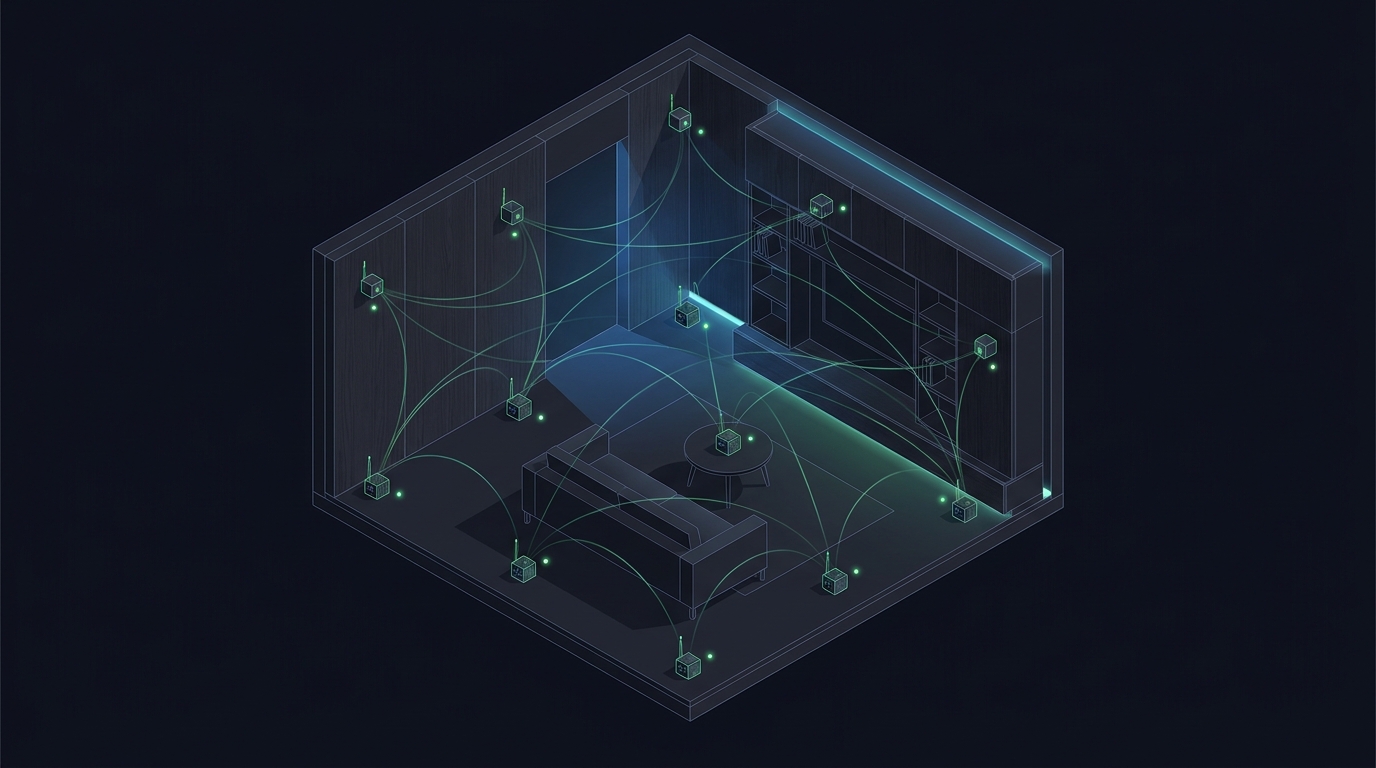
Small sensor nodes scattered around a room, connected by glowing wifi mesh arcs
A whole-room CSI mesh: a handful of little nodes, each needing its own small battery.
easiest · recommended

LiPo pouch + a board that charges it

Pick an ESP32 board with a built-in battery connector and charger, then plug in a flat LiPo pouch. Recharge in place over USB — no extra electronics. Lightest option, perfect for scattering.

BATTERY
3.7 V LiPo pouch, 1000–2000 mAh
CONNECTOR
JST-PH 2.0 mm (the common one)
BOARDS
FireBeetle ESP32, LOLIN D32
Why this one → No soldering, recharges itself, and a 2000 mAh pouch runs a WiFi-streaming ESP32 for roughly 10–16 hours.
longest runtime

18650 cell + holder board

An ESP32 board with an onboard 18650 holder (the AA-sized lithium cell from laptops). Cheap cells, big capacity, drop-in. Heavier than a pouch, but runs longest.

BATTERY
1× 18650 Li-ion, 2000–3500 mAh
RUNTIME
~16–28 h streaming
CHARGING
USB on the holder board
Heads up → Buy reputable cells. Bargain-bin 18650s often lie about capacity and can be unsafe.
zero-knowledge · watch the trap

A small USB power bank

The no-thinking option: a pocket power bank + a USB cable into the ESP32. Works instantly. But there's one infamous gotcha that makes them mysteriously die.

BATTERY
5000 mAh USB power bank
CONNECTS
USB-C / micro-USB cable
RUNTIME
days (but see gotcha)
The trap → Many power banks auto-shut-off when current drops below ~50–100 mA. An idle ESP32 sips too little, so the bank powers down. Use one with an "always-on / low-current" mode.
DIY · most flexible

Roll your own: LiPo + TP4056

If your board has no charger, add a TP4056 charging module (about $1) between a bare LiPo and the board. It safely charges over USB and protects the cell.

PARTS
LiPo pouch + TP4056 module
SKILL
light soldering (3–4 joints)
COST
~$3–6 per node
Tip → Use the "TP4056 with protection" variant so the cell can't over-discharge and die permanently.

How long will it last? Quick runtime math

A CSI/streaming ESP32 keeps its WiFi radio on, so budget roughly 120–160 mA average. Runtime ≈ battery mAh ÷ average mA:

  • 1000 mAh LiPo → ~6–8 hours
  • 2000 mAh LiPo → ~12–16 hours (a full day)
  • 3500 mAh 18650 → ~22–28 hours

For an always-on mesh, plan to recharge daily, or wire nodes to USB wall power where outlets allow.

⚠ Battery safety — three rules

(1) Never charge unattended on flammable surfaces. (2) Never puncture, crush, or fold a pouch — if it swells, retire it. (3) Always use a proper charger (TP4056 or onboard), never raw voltage. For a room full of nodes, lean toward boards with built-in protection.

Power parts — where to buy

These are ⌕ search links — battery listings churn constantly, so we point you at the right product category. Confirm voltage (3.7 V), connector (JST-PH 2.0), and capacity before buying.

FireBeetle ESP32 (battery-ready)

~$8
Built-in LiPo charger, low sleep current

3.7 V LiPo pouch (1000–2000 mAh)

~$8
JST-PH 2.0 connector — match your board

ESP32 18650 dev board

~$9
ESP32 with onboard 18650 holder + charging

TP4056 charging module (protected)

~$1
DIY LiPo charging + protection

Low-current / always-on power bank

~$15
"IoT" bank that won't auto-shut-off

18650 Li-ion cells (quality)

~$10
Reputable brand, true capacity
09 — ADVANCED

Soul Signature: recognising a person by their WiFi

The most advanced idea in this stack — identifying who is present with no camera, from the unique way a body disturbs radio. Here's what's real today (honestly), using Ruv's open-source RuView.

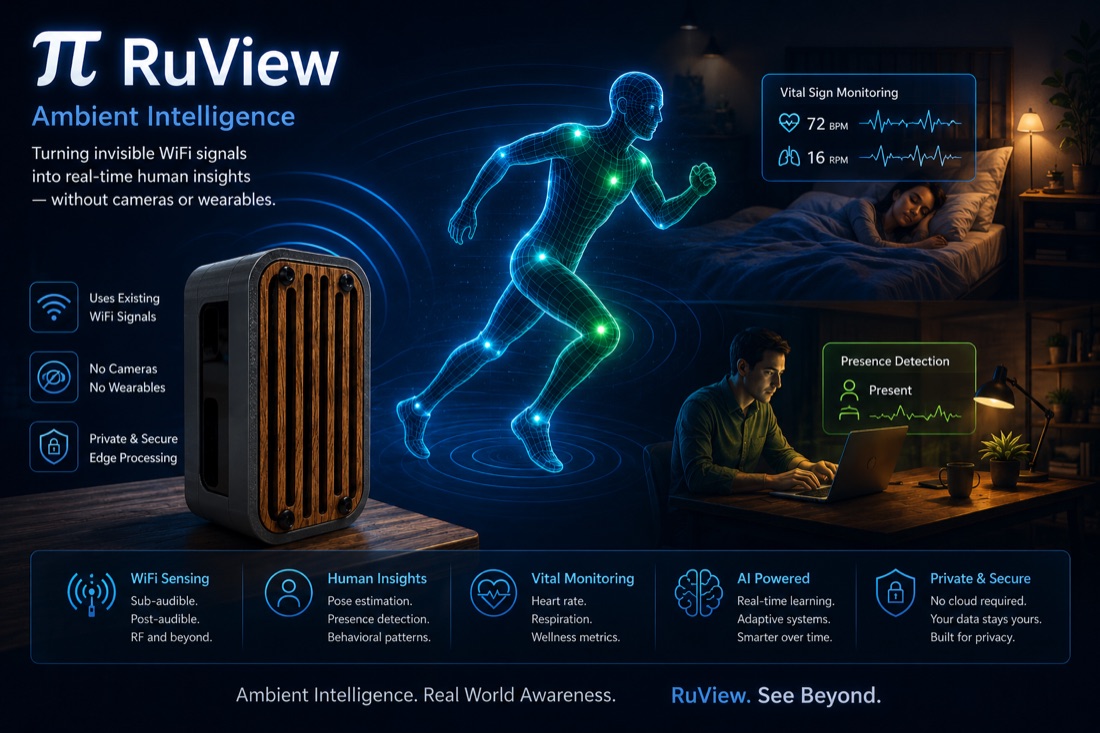
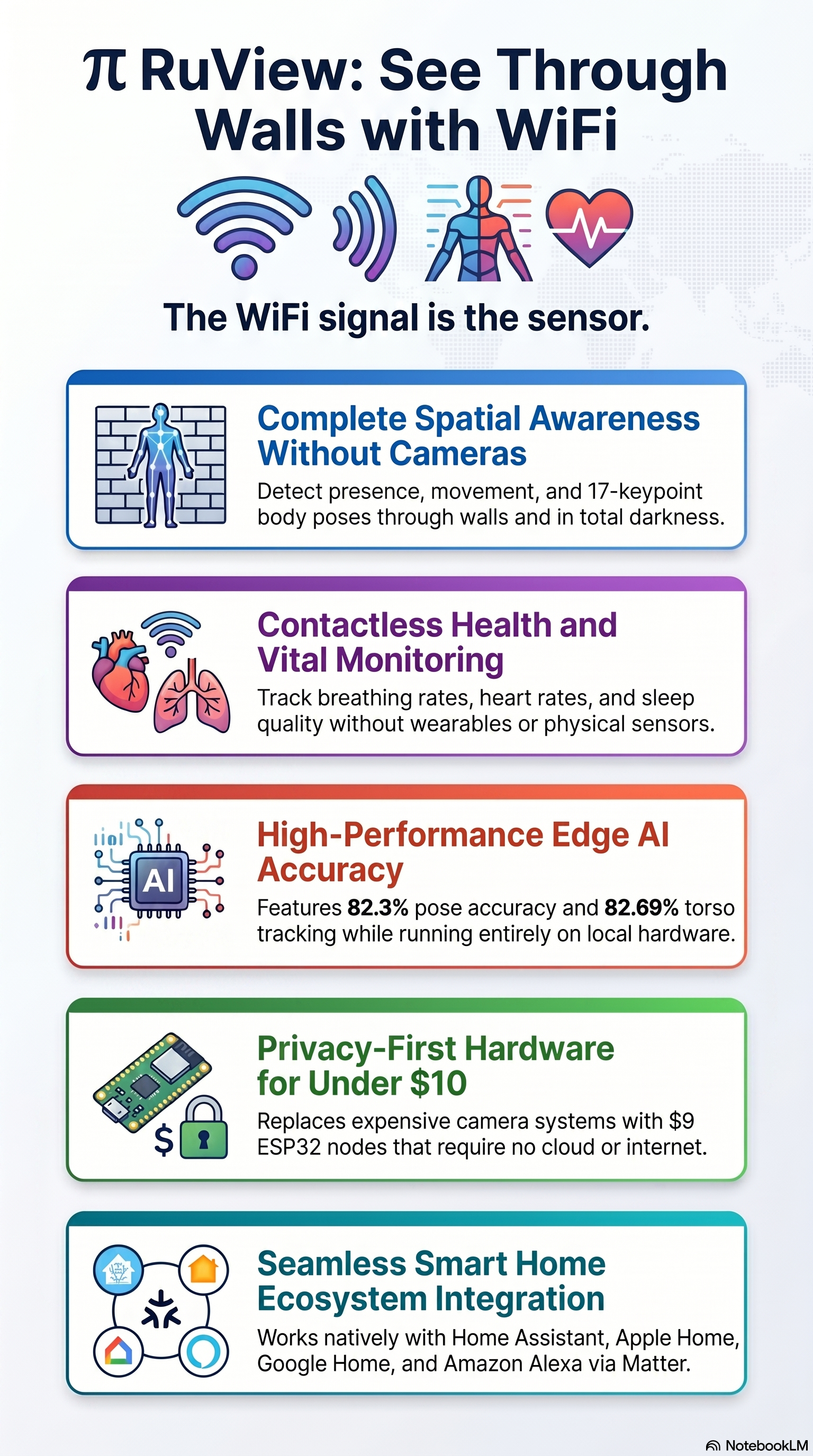
π RuView — turning invisible WiFi signals into real-time human insights without cameras or wearables
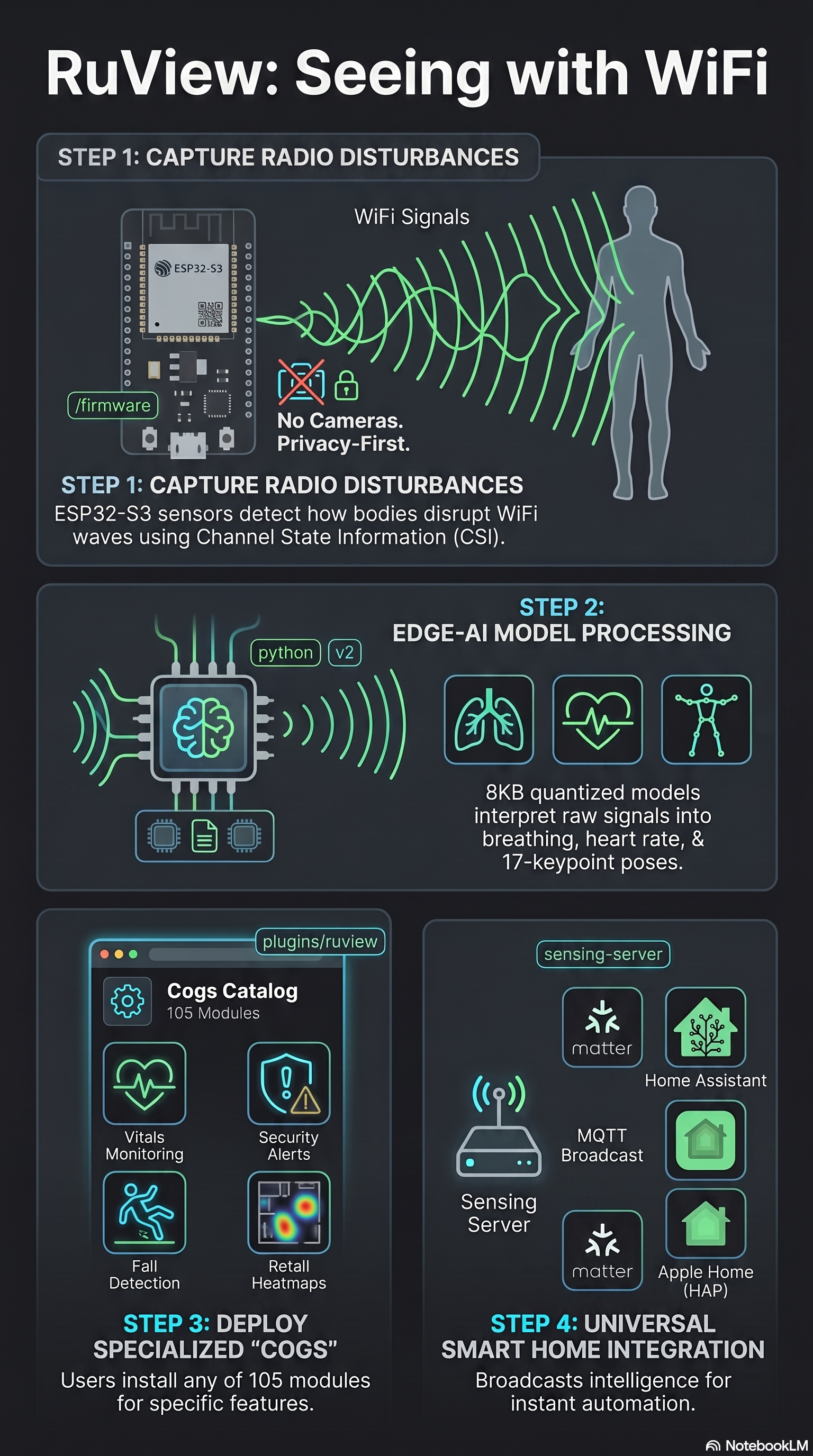
RuView is Ruv's open-source "ambient intelligence" software — it turns the WiFi-CSI from your ESP32 nodes into presence, breathing, heart rate and an anonymous identity fingerprint, all on-device. How to set it up → (Image from the RuView project.)

What RuView gives you today

  • An anonymous WiFi re-ID embedding — a 128-dim vector (the "AETHER" encoder) that re-matches the same body across sessions
  • A privacy-safe, daily-rotating hash of that signature
  • Runs on WiFi-CSI alone — no camera, no wearable

What it does not do (yet)

  • It does not put a name to you — a match is an opaque ID, not "it's Stuart"
  • It ships with no trained weights — you must train the encoder, or the vector is noise
  • There's no one-click "enroll" — the full multi-signal Soul Signature is a research spec, not finished code

The realistic path to a signature

  1. Stand up a CSI mesh — at least 3 ESP32 nodes streaming (see the sensors + Setup pages).
  2. Get RuView: zero-hardware demo with docker pull ruvnet/wifi-densepose:latest, or build the Rust workspace: cd v2 && cargo build --release.
  3. Run it without a model for now — RuView ships no pretrained weights, so the encoder produces random vectors until you train it (contrastive / InfoNCE). The --model flag is optional; there's just no ready-made model to load yet.
  4. Match: a trained encoder re-identifies a returning body as an opaque person_id (anonymous), plus the rotating hash.

RuView on GitHub ↗

Full submodule + plugin walkthrough is on the Setup page. Putting a name to a person is a separate layer, not part of RuView.

10 — SHOPPING LIST

Buy it: the kit that actually works

Beginner-friendly, plug-and-play versions only. ▸ direct links were correct when last checked; ⌕ search links point at a product category. Always open the page and confirm before buying.

The three sensors

LD2450 radar — USB kit

~$16
Radar + cable + USB adapter · plug-and-play, no solder

Seeed XIAO MR60BHA2

~$25
60 GHz heart/breath kit · ESP32-C6 · USB-C

Waveshare ESP32-C5 (CSI node)

~$18 each
Dual-band WiFi 6 · USB-C · buy 7 for a full array

M5StickS3 (motion / IMU)

~$41
ESP32-S3 + 6-axis IMU · attach to an object · in-stock M5StickC successor

The brain (your host)

The Cognitum One Seed

the brain
On-device intelligence + the host your sensors connect to

Power supply for your Seed

essential
Use the supply specified for your Cognitum One model — underpowering causes dropouts

Cables & tools (you'll need these to flash & connect)

USB-C data cables

essential
Must carry data, not just power — for flashing

CP210x USB-to-UART bridge

~$7
Spare adapter for bare UART radars

Dupont jumper wires

~$7
For any GPIO wiring (F-F, M-F, M-M)

Powered USB hub

~$20
When you add several USB sensors to the Seed

Next: how to flash & set it all up →

11 — FAQ

Common questions

The things a brand-new owner usually asks next.

Do the sensors plug into the Seed directly?
Simple sensors (motion, vibration, an analog sensor via an ADS1115) wire to the Seed's own GPIO pins. The three sensors in this guide connect to the same Seed over USB (the LD2450) or WiFi (the MR60 and ESP32 CSI nodes) — same device, just a different connection.
What's the cheapest way to begin?
The LD2450 USB kit (~$16) — it needs no flashing, you just plug it into the Seed over USB and it reports position immediately.
Do I have to flash the sensors?
The ESP32 CSI nodes, yes — on a Mac/PC first (see the Setup page). The MR60 ships ready (set WiFi via ESPHome). The LD2450 USB kit needs no flashing at all.
Does it send my data to the cloud?
The Seed runs its intelligence on-device — no cloud required — and these sensors are contactless (no camera, nothing worn).
Can the Seed "see through walls" by itself?
No. WiFi sensing (CSI) needs separate ESP32-S3 / C5 nodes streaming their CSI to the Seed over WiFi — the Seed's own WiFi chip can't produce CSI.
How many sensors do I need?
Almost nothing works with just one. WiFi-CSI needs at least 3 nodes (7 is the sweet spot — Ruv's pick, a prime with headroom); radar is 1–3; vitals is 1 per person/spot. See the "one sensor is almost never enough" table.
12 — PLAIN ENGLISH

Glossary: the jargon, decoded

mmWave
"Millimetre-wave" radio (24–60 GHz). Very short wavelengths bounce cleanly off bodies, giving fine motion and position detail.
FMCW radar
The technique radar sensors use: sweep a frequency, listen for the echo, and read distance & speed from the shift.
Doppler
The frequency change when something moves toward/away — how mmWave vitals sensors detect a chest rising or a heart beating.
CSI
Channel State Information — the fine detail of how a WiFi signal was distorted on its way to the receiver. Bodies distort it, so you can "see" with WiFi.
Subcarrier
WiFi splits its channel into dozens of parallel frequency lanes. Each is a subcarrier. More subcarriers = more detail in a CSI reading.
HT40
A "wide" 40 MHz WiFi channel. Wider channel = more subcarriers = richer CSI.
IMU
Inertial Measurement Unit — an accelerometer (+ gyro) chip that senses motion, tilt and vibration of whatever it's attached to. The M5StickS3 has one.
Flashing
Loading firmware onto a chip over USB from a computer — the one-time step before an ESP32 sensor can do its job.
UART / serial
A simple two-wire way (transmit + receive) for a sensor to talk to a computer. The LD2450 USB kit does this over its USB adapter.
Baud rate
The speed of a serial connection. Both ends must agree exactly, or you get garbage/zeros. The LD2450 wants 256000.
LiPo / 18650
Rechargeable lithium batteries. LiPo is a flat light pouch; 18650 is a AA-sized cylinder with more capacity.
HNSW
The fast "nearest-neighbour" search the Seed uses to recognise a fingerprint instantly among thousands.
Soul Signature / AETHER
An anonymous WiFi "fingerprint" of a body (RuView's 128-dim re-ID embedding) — recognises the same person again, without naming them.